
Talk with a ChartSpan Representative Today!
Our team is ready to help you improve patient care and outcomes.
Blog
Layering Remote Patient Monitoring onto Your Chronic Care Management Program: A Guide for CCM Practices

RPM and CCM at a glance:
- CCM provides ongoing patient support through monthly contact with a care manager, while RPM adds biometric data between scheduled touchpoints.
- CCM and RPM can be billed for the same patient in the same month when each service meets its requirements and time is tracked separately.
- RPM can be added to an existing CCM program without rebuilding the program from scratch, especially if you are careful about which codes you bill.
- A successful RPM rollout starts with the right patient population, provider-approved device assignments, and a clear onboarding process.
Chronic Care Management (CCM) gives practices a framework for supporting patients with multiple chronic conditions between visits. Monthly touchpoints, a consistent care manager relationship, and a documented care plan help teams stay connected to patients and adapt care as their needs change.
With CCM infrastructure already in place, Remote Patient Monitoring (RPM) brings real-time biometric data into established patient relationships. Connected devices provide care managers with objective data to consider alongside what patients report during calls. Existing CCM processes for communication and follow-up give care managers a way to incorporate this information into ongoing patient care.
This guide covers what changes when you add RPM to a CCM program, which patients and conditions are the right starting point, how concurrent billing works, and what your practice should have in place before launching an RPM program.
What happens between CCM calls, and how RPM offers visibility
A CCM care manager may learn a great deal about a patient's health through regular outreach, but there are still periods when the care team has limited visibility into what is happening day to day. Between calls, a patient’s condition may change, or new symptoms may appear. Patients may not notice those changes right away or may not think to report them before the next conversation.
RPM uses connected devices to collect and transmit biometric data between points of contact, giving care managers visibility into changes that might otherwise go unreported until the next outreach. Care managers can review those trends before conversations, allowing them to tailor each interaction to the patient's recent health patterns and concerns.
RPM can capture a range of biometric measures, depending on the patient's condition and monitoring needs. Common RPM devices include:
- Blood pressure cuffs that capture daily readings while the patient is at home
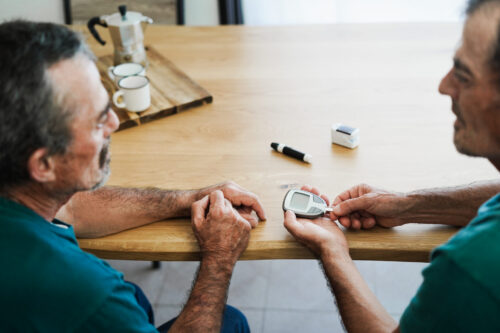
- Glucose monitors that track blood glucose levels throughout the day
- Pulse oximeters that flag changes in oxygen saturation before symptoms worsen
- Connected weight scales that provide an ongoing record of weight changes
These readings give care managers another source of information to consider alongside what patients report during regular outreach. That broader picture can help the care team identify changes in symptoms, ask more targeted questions, and determine when a patient's care plan may need to change.
When adding RPM to a CCM program makes clinical sense
RPM is a worthwhile addition when biometric data would meaningfully change how care decisions are made, rather than simply adding more information to the care process. For some conditions, device readings can give the care manager a more accurate or actionable picture than patient self-report alone.
Hypertension
Hypertension affects approximately 48% of U.S. adults, and blood pressure readings taken in a clinical setting can be influenced by factors such as the white coat effect, appointment-day stress, or the circumstances of travel. Readings taken at home, during daily life, are more representative of a patient's actual cardiovascular status.
Trending data also reveals patterns that a patient may not notice or accurately report. A week of consistently elevated morning readings, for example, gives the care manager a specific finding to discuss with the clinical team that may not emerge from a patient reporting that they feel about the same. A 2025 study in The American Journal of Managed Care found that RPM combined with monthly care management support produced significant reductions in stage 2 hypertension among Medicare patients.
Diabetes
Glucose levels fluctuate in response to diet, activity, stress, and medication adherence in ways that are difficult for patients to track accurately from memory. A patient may describe their glucose control as "pretty good" while device data shows consistent post-meal spikes or early morning highs that suggest an issue with the patient’s medication regimen.
Real-time glucose data gives care managers a factual basis for those conversations, moving the discussion from general impressions to specific behaviors, patterns, and adjustments.
Heart failure and COPD
For patients with heart failure or COPD, missing an early warning signal creates a high risk of an acute care event. Fluid retention in heart failure often presents as gradual weight gain before the patient feels meaningfully worse. A drop in oxygen saturation can precede a respiratory exacerbation in some patients, though timing varies by condition and individual case.
Pulse oximetry and connected weight data give care managers the ability to monitor these trends and coordinate with the clinical team when readings suggest a change in the patient's condition, before it progresses to an emergency department visit or hospitalization.
What changes when you layer RPM onto CCM
Adding RPM to a running CCM program doesn’t require restructuring the existing program. The care manager relationship continues, the care keeps evolving based on each patient’s needs, and regular outreach remains part of the care model. However, RPM introduces a few additional considerations around billing, workflows, provider oversight, and onboarding.
Billing RPM and CCM together
CCM and RPM services are billed under separate CPT codes and can be billed concurrently for the same patient in the same calendar month. When billing for both services, time attributed to each must be tracked and documented separately. RPM time, including device data review and device-related patient communication, is additional to CCM time. It cannot be counted toward CCM's time threshold, and CCM time cannot be applied to RPM billing.
Double-counting time across both services creates audit exposure. To maintain compliance, practices must document each service separately.
One compliant option is to document care management time and bill for that time under codes 99490 and 99439, and to only bill 99453 for setup, and either 99454 (if the patient transmitted 16 or more days of data that month) or 99445 (if the patient transmitted 2–15 days). The RPM care management code is not billed at all to avoid overlap as this is effectively managed through CCM codes. This is the strategy ChartSpan uses.
The RPM treatment-management codes (99457, 99458) and the CCM codes (99490, 99439) compensate similar work—ongoing review of a patient's health information and follow-up communication—which makes the line between them easy to blur if a practice isn't deliberate about where that time gets documented. ChartSpan documents and bills clinical-review time under CCM rather than under the RPM treatment-management codes, and the reasoning starts with how the two programs are actually built.
CCM is structured to manage a patient's full chronic condition profile: one care manager and one care plan spanning hypertension, diabetes, heart failure, COPD, and whatever else the patient is living with at once. RPM, by design, is organized around a single connected device tracking a single biometric measure tied to one condition. A blood pressure cuff produces blood pressure data, but it doesn't tell the care team anything about how the patient's diabetes or heart failure is trending that month.
Chronic conditions rarely stay contained to their own condition. Poorly controlled blood pressure accelerates decline in heart failure and kidney function; an uncontrolled glucose trend raises cardiovascular risk and complicates wound healing; a COPD exacerbation treated with steroids can throw off glycemic control. The value in reviewing a device reading isn't really the number itself, but what that number means for the patient's care plan as a whole, considered alongside everything else the care manager already knows about them.
That interpretive, cross-condition work is what CCM is built to do. So when a care manager reviews an RPM reading and factors it into how they're managing the patient's broader condition set, that's care coordination time that belongs under CCM, not a separate, single-condition RPM encounter.
How care manager workflows shift
Care managers gain access to device data and use it during the patient's existing monthly CCM call to guide the conversation and inform care plan adjustments. RPM data feeds into patient outreach rather than creating a separate encounter.
Between scheduled outreach, care managers may need to review incoming readings, assess alerts, document their response, and initiate contact when a reading warrants follow-up. For practices managing RPM internally, those activities add to the clinical workload and require clear processes for reviewing data and determining when action is needed.
Provider oversight requirements
Before any device is assigned to a patient, your practice must complete a formal provider review and give final approval on that assignment. This step must be completed during onboarding with documented sign-off before RPM services begin.
Practices that don't currently have a process for this will need to establish one before launching RPM. Devices assigned without clinical review may not be appropriate for the patient's specific conditions or care goals.
Onboarding RPM as a second implementation
RPM onboarding adds a layer to the CCM infrastructure already in place rather than requiring a full program rebuild. Existing care manager assignments, care plans, and outreach processes remain in place while the practice adds the workflows needed to support device monitoring.
Key onboarding tasks include:
- Configuring how device data transmits into the EHR or the platform care managers use for outreach
- Establishing alert thresholds and notification protocols for flagged readings
- Training care managers to review device data and incorporate it into monthly care coordination
- Helping patients set up and use their assigned devices before data collection begins
Practices that underestimate this lift risk launching RPM before their workflows are ready to absorb it, which typically leaves care managers with incoming device data but no clear process for reviewing or acting on it.
Signs your practice is ready to add RPM
RPM adds the most value when a practice has the right CCM foundation and a patient population that can benefit from biometric monitoring. Before committing to a rollout, assess whether your CCM program and patient population are positioned to benefit from RPM.
Consider these indicators:
- The conditions represented in your CCM population are well suited to biometric monitoring. If a meaningful share of your enrolled patients have hypertension, diabetes, heart failure, or chronic obstructive pulmonary disease (COPD), real-time device data gives care managers something concrete to act on.
- Your CCM program is already running consistently. RPM is most effective when added to a program that's functioning well. Enrollment should be stable, monthly outreach should be happening reliably, and care managers should have established relationships with their patients before a second layer is introduced.
- Care managers are running into the limits of self-report. If your care managers regularly note that patient accounts alone aren't giving them enough to confidently adjust care plans, that's a direct signal that objective biometric data would improve the quality of those conversations.
- Your practice has, or is willing to build, a provider approval process for device assignments. This is a compliance requirement. If no process currently exists, it needs to be defined before RPM onboarding begins.
- Your team is prepared to track RPM and CCM time separately. Concurrent billing for CCM and RPM services requires separate documentation from the first month. If your current documentation practices don't support that level of specificity, that's a workflow gap to address before launch.
Practices that meet these readiness indicators are often in a strong position to expand on an existing care management investment rather than create an entirely new workflow. If you are still working to stabilize enrollment, outreach, documentation, or ongoing patient engagement, strengthening your CCM operations first typically creates a better path to RPM adoption.
Learn how ChartSpan’s Chronic Care Management program supports those operational requirements.
Challenges of layering RPM onto an existing CCM program
Adding RPM to an existing CCM program introduces new workflow considerations. Each challenge below is manageable, but each requires planning before launch.
Enrolling and educating existing CCM patients on RPM
Introducing RPM to a patient who is already participating in CCM is a different conversation than enrolling a new patient. When a patient has worked with the same care manager for months, asking them to take on a new service, often with an added monthly payment, can feel like an upsell if the framing isn't right.
The existing care manager relationship gives practices a natural starting point for the conversation. Introducing RPM as an added layer of support can help patients understand how it fits into the care they're already receiving, rather than viewing it as a separate service. Working with an experienced partner can help practices navigate these conversations effectively.
Separating and documenting time accurately
Care managers often touch both CCM and RPM work within the same patient interaction, reviewing device data and updating a care plan in the same session, for example. Separating time accurately is one of the most common compliance challenges practices encounter.
Vague or combined time entries create audit exposure. Compliant documentation requires separate timestamps and distinct activity descriptions for each service.
CCM and RPM time cannot be merged into a single entry. Establishing this documentation discipline from the first month of concurrent billing is far easier than retroactively correcting records.
Integrating device data into existing workflows
RPM data is only useful if care managers can access it before and during patient outreach. EHR integration or platform-level access to device data is a prerequisite for RPM to function as intended. Before launch, confirm that care managers will have direct visibility into recent device readings as part of their standard outreach workflow.
Managing device logistics
RPM adds responsibilities such as shipping devices to patients, supporting setup, managing replacements, and troubleshooting connectivity issues.
Without a clearly defined owner for these tasks, they default to clinical staff and pull time away from care management. Practices need to assign responsibility for device logistics before the first device ships. The right RPM partner will have a dedicated device and logistics team to assist you with these processes.
Patient adherence to device use
RPM billing requires patients to transmit a minimum number of readings per month. Patients who don't use their devices consistently may not generate enough data to support billing for that period.
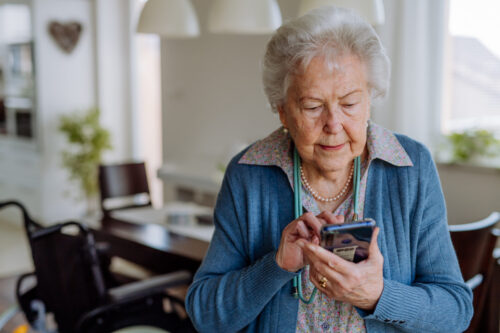
Educating patients at enrollment and choosing the right device can both improve adherence. For older adults managing multiple chronic conditions, Bluetooth devices with associated apps may grant visibility, while cellular-connected devices that transmit readings automatically may support better adherence for patients who don’t have smartphones or struggle to use an app. Starting with straightforward devices for your initial rollout can make devices easier for patients to use and reduce the amount of troubleshooting your team needs to provide.
How to add RPM to your CCM program
Adding RPM to an existing CCM program builds on the infrastructure already in place. Care manager assignments, care plans, patient outreach, and other core CCM workflows remain in place while the practice adds the processes needed to support device monitoring. The following steps outline how to layer RPM onto an established CCM program.
1. Identify eligible patients within your CCM population
Start by reviewing your CCM patient panel for individuals with hypertension, diabetes, heart failure, COPD, and other chronic conditions where biometric monitoring would help inform care decisions. Not every CCM patient is a good candidate for RPM.
Patient selection should be clinically grounded, prioritizing patients whose device data could inform care conversations or care plan adjustments rather than selecting patients to maximize enrollment volume.
2. Secure provider approval for device assignments
Before any device is assigned, your practice must complete a formal provider review and sign-off for each patient. Practices that don't currently have a defined process for this need to establish one before RPM onboarding begins. To ensure proper documentation for this step, keep sign-off on file for each device assignment.
3. Configure data flow and alert thresholds
Set up how device data transmits into your EHR or the platform care managers use for monthly outreach. Establish threshold-based alerts that notify care managers when readings fall outside defined ranges, such as:
- A blood pressure reading significantly above target
- An abnormally high or low glucose reading
- A weight increase that warrants clinical review
- An oxygen saturation reading that needs follow-up
Clear alert parameters help care managers know which readings warrant review and what follow-up may be needed. Without defined thresholds and response protocols, care managers may receive data without a consistent process for determining when it requires action.
4. Onboard care managers to RPM data and workflows
Before RPM goes live, care managers should receive training on how device data fits into their existing CCM workflows. Training should cover how to access device data, interpret trends, incorporate relevant data into patient conversations and care plan adjustments, document RPM activity, and recognize when a reading or pattern should be escalated to the clinical team.
Establishing these processes before launch equips care managers to use the additional information to guide their work. The goal is to make RPM data part of routine care coordination, with clear expectations for review, follow-up, documentation, and escalation.
5. Introduce RPM to enrolled patients
Care managers should initiate the conversation about RPM during an existing point of contact. When introducing RPM, care managers can emphasize how the added monitoring fits into the care patients already receive:
- The patient continues receiving all existing CCM services and keeps their current care manager.
- RPM adds real-time clinical data that both the patient and care team can see.
- That data is used to adjust care goals going forward, not simply collected.
Once the patient understands how RPM fits into their existing care, the care manager or a dedicated enrollment manager can review the device, explain how readings will be collected and shared, and answer questions about using the device.
6. Track and document RPM time separately from CCM time
Establish documentation practices that clearly separate RPM time from CCM time from the first month of concurrent billing.
- RPM time includes device setup, data review, and device-related patient communication
- CCM time includes care coordination and care plan updates
Document each service independently, with enough detail to show how the time was spent and when the activity occurred. Maintaining this distinction from the start of concurrent billing helps support accurate claims and consistent records.
Billing guidelines for concurrent CCM and RPM services
CCM and RPM services can be billed in the same calendar month for the same patient when the requirements for each service are met. Time used to bill each service must be tracked separately. RPM time is additional to CCM time and cannot be combined with or counted toward the CCM time threshold.
RPM uses separate codes for device setup and education, device supply and data transmission, and treatment management time. CPT 99457 covers the first 20 minutes of treatment management in a month, including the required interactive communication with the patient or caregiver, while CPT 99458 covers each additional 20 minutes. Because that review and follow-up work sits inside the same broader, multi-condition care plan CCM already covers, one option is to not count these two codes, since they may overlap with CCM, and use the CCM codes (99490 and 99439) for care management instead. Regardless, CCM and RPM time must be tracked and documented separately, with each service supported by records that meet its applicable billing requirements.
ChartSpan provides billing and compliance support across both CCM and RPM, helping practices maintain the documentation and workflows required for each service. ChartSpan’s managed CCM program supports patient engagement, care coordination, and documentation while the RPM layer adds the device management, data monitoring, and patient support needed for remote monitoring.
Adding RPM to your practice's CCM program with ChartSpan
Adding Remote Patient Monitoring to an established Chronic Care Management program gives care managers access to biometric data they can incorporate into the patient relationships, care coordination, and outreach already in place. ChartSpan's combined CCM and RPM approach lets practices add remote monitoring without replacing their existing CCM workflows.
ChartSpan manages the day-to-day requirements of both programs, including patient outreach, care coordination, device onboarding, data monitoring, documentation, compliance, and billing. Practices can add RPM to a CCM program already managed by ChartSpan or use ChartSpan to implement both services together. For practices running CCM internally, ChartSpan can also provide the RPM layer alongside the existing program.
With ChartSpan’s support, practices can add RPM without taking on the work of building and managing the program internally. ChartSpan handles the additional workflows required for RPM, allowing your team to focus on general supervision and delivering ongoing support to patients with chronic conditions.
If you're evaluating whether RPM is a good fit for your CCM population, talk to an expert to learn how ChartSpan can support your practice.
You may also like:
Subscribe for More Insights
Get valuable resources delivered straight to your inbox.
"*" indicates required fields